
What Is Included in Custom Software Development Services in St. Charles, MO?
 xt-admin
Businesses vary in their workflows, customer expectations, and operational challenges. While generic software comes up with nice features, it doesn’t always match the way you run your business.
Here’s where Custom Software Development Services can make all the difference.
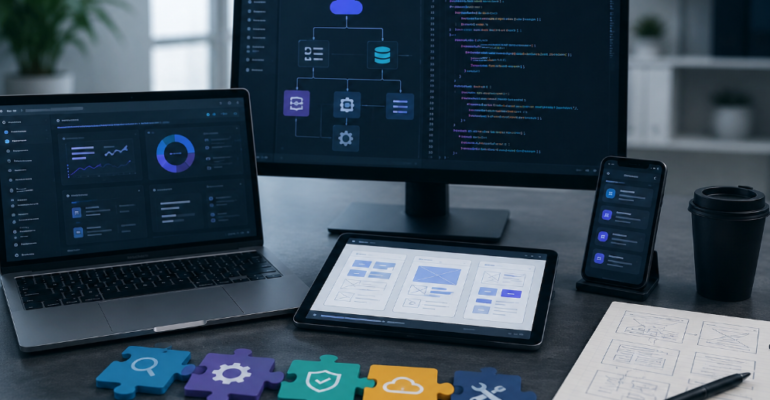
Custom software aligns with your business needs without making your team compromise with an already-built framework. Software Development Services in St. Charles are there for the complete lifecycle from the start of planning and user experience design down to development, testing, deployment, and future maintenance.
From creating a customer portal, developing business management tools, workflow automation systems, mobile apps and software integration, figuring out the package will lead to a more knowledgeable investment decision.
🚀 Ready to Build Software Around Your Business?
Start Your Custom Software Project →
What Are Custom Software Development Services?
Custom Software Development is the process of designing and building software specifically for a business, organization, or particular business process.
Instead of purchasing a generic application with features you may never use, custom software allows you to determine:
- What features your software needs
- Who will use it
- How information is managed
- Which systems it needs to connect with
- What workflows should be automated
- How the platform should grow over time
Professional Software Development Services can cover everything from initial strategy through long-term support.
What Is Included in Custom Software Development?
1. Business & Requirement Analysis
Every successful software project starts with understanding the problem.
A development team evaluates your:
- Business objectives
- Current workflows
- Customer requirements
- Operational challenges
- Existing technology
- Integration requirements
- Security needs
- Future growth plans
This discovery stage helps ensure the final software solves a real business problem rather than simply adding unnecessary features.
2. Software Planning & Project Strategy
After requirements are established, developers create a roadmap for the project.
This may include:
- Feature planning
- Technology selection
- Project milestones
- Development phases
- Integration planning
- Testing requirements
- Launch strategy
A clear development plan reduces confusion and helps keep the project aligned with business goals.
3. UI/UX Design
Software should not only work—it should be easy to use.
Interactive design and UX planning help create intuitive interfaces that allow users to complete tasks efficiently.
UI/UX Design May Include:
| User Interface | User Experience |
| Custom dashboards | Simple navigation |
| Interactive buttons | Logical workflows |
| Forms and controls | Easy task completion |
| Visual elements | Clear information architecture |
| Responsive layouts | Mobile-friendly experiences |
A well-designed interface can reduce training requirements and make software easier for employees and customers to use.
4. Custom Software Development
This is where the planned functionality is transformed into working software.
Depending on your requirements, development may include:
- Web applications
- Mobile applications
- Business management platforms
- Customer portals
- Internal tools
- E-commerce solutions
- Booking systems
- Inventory platforms
- Workflow automation systems
The functionality, security, scalability, and long-term demands of the project are taken seriously when choosing technological advances.
5. Database Development & Management
Many business applications depend on structured data.
Custom software development may include creating systems for managing:
- Customer information
- Product data
- Orders
- Employee records
- Appointments
- Financial information
- Documents
- Business reports
A properly designed database helps your software retrieve and manage information efficiently.
6. API & Third-Party Integrations
Your business may already use several software platforms.
Custom Software Development Services can connect your new application with existing systems through APIs and other integration technologies.
Potential integrations include:
- CRM platforms
- Payment gateways
- Accounting software
- Email marketing platforms
- Inventory systems
- Cloud services
- Business analytics tools
- Customer relationship platforms
Integration reduces duplicate data entry and helps different systems work together.
7. Workflow Automation
The ability to automate is one of the key benefits of Custom Software Development.
Custom software solutions can handle processes that would otherwise be done manually in a repetitive manner. For example, some of the processes that can be automated using software are:
- Data entry
- Notifications
- Appointment reminders
- Customer follow-ups
- Reporting
- Order processing
- Employee workflows
- Document generation
Automation can save time while reducing avoidable human errors.
8. Security Features
Since sensitive data is frequently handled by business software, security is a crucial component of development.
Depending on the application, security precautions could consist of:
- User authentication
- Role-based access
- Data encryption
- Secure APIs
- Password protection
- Activity monitoring
- Backup systems
- Security testing
Security requirements should be considered from the beginning of the project rather than added as an afterthought.
9. Software Testing & Quality Assurance
Before software is launched, it needs to be tested.
Quality assurance can evaluate:
- Functionality
- Performance
- Security
- Usability
- Compatibility
- Integrations
- Mobile responsiveness
Testing helps identify issues before users encounter them.
10. Deployment & Software Launch
Once the application has passed testing, it can be deployed to the appropriate environment.
Deployment may involve:
- Server configuration
- Cloud deployment
- Database setup
- Domain configuration
- Application installation
- Security configuration
- User access setup
A structured launch process helps minimize disruption to business operations.
11. Ongoing Maintenance & Support
Software development doesn’t necessarily end after launch.
Your application may need regular:
- Security updates
- Bug fixes
- Performance improvements
- Feature enhancements
- Compatibility updates
- Database maintenance
- Technical support
Ongoing support helps keep your software reliable as your business and technology environment change.
Custom Software vs. Off-the-Shelf Software
Not every business needs custom software. The right solution depends on your requirements.
| Custom Software | Off-the-Shelf Software |
| Built around your business | Built for a broad market |
| Highly customizable | Limited customization |
| Can scale with your needs | Features depend on provider |
| Custom integrations | Predefined integrations |
| Greater control | Faster initial setup |
| Higher initial investment | Often lower initial cost |
If your current software forces employees to create workarounds or use multiple disconnected systems, custom development may be worth considering.
Interactive Feature: What Does Your Business Need?
Not sure what type of custom software you need?
Choose the challenge that sounds most familiar:
| 🔄 Manual Tasks | 📊 Scattered Data |
| Automate repetitive work and reduce time-consuming manual processes. | Connect your systems and keep important business data in one place. |
| 👥 Customer Access | 📅 Scheduling Problems |
| Give customers easier access to services, accounts, orders, and support. | Simplify bookings, appointments, reminders, and confirmations. |
| 📦 Inventory Challenges | ⚙️ Growing Business Needs |
| Track products, orders, and inventory with greater accuracy and visibility. | Build scalable software that can adapt as your business grows. |
Ready to Build Software That Fits Your Business?
Your business shouldn’t have to change its workflow just to fit generic software.
With professional Custom Software Development Services, you can build technology around your processes, customers, employees, and long-term goals. If you’re looking for Software Development Services in St. Charles, start by identifying the biggest challenge you want your software to solve.
💻 Discuss Your Custom Software Idea →
Frequently Asked Questions
Company Portfolio