
Website Hosting Migration Checklist: What to Do Before You Switch Hosts
 xt-admin
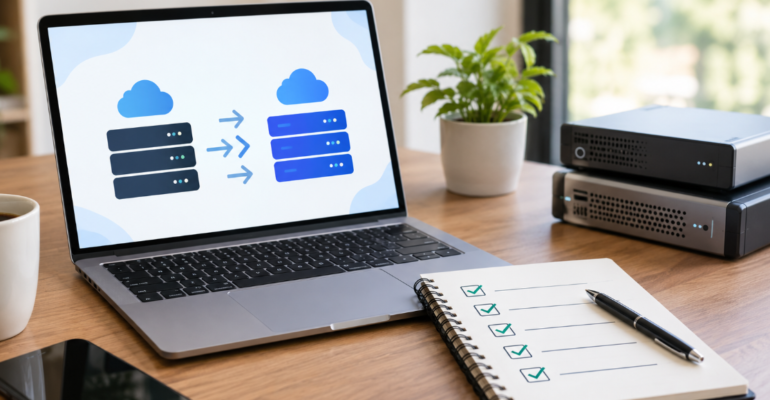
Moving your website hosting platform has several benefits for your website performance, including speed, security, uptime, scalability, and overall improvement — but only if it is done right. Improperly executed Website Hosting Migration may result in broken pages, lost files, email issues, downtime, or SEO penalty.
This checklist will help you navigate the process more easily and ensure nothing is lost in the process if you are doing it in St. Charles, Missouri.
Why Businesses Consider Website Hosting Migration
Not every hosting plan continues to meet a growing website’s needs. Businesses may consider changing their Web Hosting provider when they experience:
- Slow website loading times
- Frequent downtime or server issues
- Limited storage or bandwidth
- Poor customer support
- Security concerns
- Outdated server technology
- Difficult-to-manage hosting controls
- Increasing hosting costs
- Website growth requiring better resources
- Limited scalability for future expansion
Before changing, find exactly why you want to immigrate. This helps you choose the hosting solution that can solve the existing problem instead of changing from one provider to another.
Website Hosting Migration Checklist
A successful migration starts before you cancel your current hosting account. Use the following checklist to organize the process.
1. Review Your Current Website Hosting
Start by documenting everything connected to your existing Website Hosting account.
Check:
- Current hosting provider
- Hosting plan and renewal date
- Website files
- Databases
- Domain information
- SSL certificate
- Email accounts
- DNS records
- Subdomains
- Redirects
- Cron jobs
- Website backups
- Third-party integrations
This inventory gives you a clear picture of what needs to be transferred.
2. Choose the Right Web Hosting Plan
Don’t select a new host based only on price. Compare the resources and features your website actually requires.
Look at:
- Server performance
- Storage capacity
- Bandwidth
- Backup options
- Security features
- SSL support
- Server uptime
- Customer support
- Scalability
- Control panel
- Database support
For businesses in St. Charles, dependable web hosting services can be particularly important when your website generates leads, accepts inquiries, or supports online sales.
3. Create a Complete Website Backup
Never begin a Website Hosting Migration without a current backup.
Your backup should include:
- Website files
- Databases
- Images and media
- Configuration files
- Email data, when applicable
- Important server settings
Ideally, keep a copy somewhere separate from your current hosting account. A backup gives you a recovery option if something goes wrong during migration.
4. Record Your DNS Settings
DNS controls how visitors and services connect to your domain.
Before switching hosts, document your existing:
- A records
- CNAME records
- MX records
- TXT records
- Nameservers
- Subdomain records
Pay particular attention to MX records if your business email uses your domain. Changing DNS incorrectly can interrupt email delivery even when the website itself appears to be working.
5. Check Your Domain and SSL Certificate
Your domain registration and website hosting are separate services.
Before migrating, confirm:
- Who manages your domain
- Domain expiration date
- Registrar login access
- Nameserver settings
- SSL certificate status
- HTTPS configuration
Make sure the new hosting environment supports HTTPS before directing visitors to it.
6. Audit Your Website Before Migration
A hosting migration is a good opportunity to identify existing website issues.
Check important pages for:
- Broken links
- Missing images
- 404 errors
- Incorrect redirects
- Duplicate URLs
- Slow-loading resources
- Missing metadata
- Form problems
- Mobile usability issues
Create a simple list of important URLs so you can compare the old and new environments after migration.
7. Protect Your SEO During Website Hosting Migration
Changing hosts doesn’t automatically mean losing rankings. However, technical mistakes during migration can create SEO problems.
Before switching:
- Keep your URLs unchanged whenever possible.
- Preserve existing page content.
- Maintain URL structures.
- Keep important redirects intact.
- Preserve XML sitemaps.
- Verify robots.txt.
- Maintain canonical tags.
- Keep HTTPS enabled.
- Check internal links.
- Monitor important landing pages after migration.
If the domain and URLs remain the same, the hosting change itself does not require changing every page’s URL.
8. Set Up the New Hosting Environment
Before pointing your domain to the new server, configure the new hosting account.
Install or prepare:
- Website files
- Databases
- Required software
- SSL
- Email services
- CMS
- Plugins or extensions
- Server settings
- Security tools
The goal is to have the new environment ready before traffic is directed to it.
9. Test the Website Before Changing DNS
Don’t wait until the domain points to the new host to discover problems.
Use a temporary URL, staging environment, or other appropriate testing method to check:
- Homepage
- Service pages
- Contact forms
- Navigation
- Images
- Videos
- Search functionality
- Login areas
- Shopping cart, if applicable
- Mobile layout
- HTTPS
- Database functionality
10. Plan the DNS Change Carefully
Once the new website has been tested, update the appropriate DNS settings.
Depending on your setup, this may involve changing nameservers or specific DNS records.
Keep your old hosting account active until you have confirmed that:
- The domain resolves correctly.
- The new website loads.
- Forms work.
- Email works.
- Important pages are accessible.
- HTTPS works.
- No major errors have appeared.
Avoid immediately deleting the old hosting account.
How Long Does Website Hosting Migration Take?
The actual migration can range from a few hours to longer depending on the website’s size, hosting configuration, databases, email setup, DNS configuration, and complexity.
The DNS change can sometimes take longer to propagate over the internet.
For a business website, migrations should be scheduled to occur at a time that reduces the impact on customers and website traffic.
Common Website Hosting Migration Mistakes
Avoid these common problems when changing hosts:
❌ Migrating Without a Backup
If something goes wrong, you may have no reliable recovery point.
❌ Forgetting Business Email
Website files may migrate successfully while email stops working because DNS records were not preserved.
❌ Changing URLs Unnecessarily
Changing hosting and URL structures at the same time introduces additional SEO complexity.
❌ Skipping Testing
A website that works on one server may behave differently in another environment.
❌ Canceling the Old Host Too Soon
Keep the previous hosting environment available until the new setup has been thoroughly verified.
❌ Ignoring Post-Migration Monitoring
Some issues only become apparent after DNS changes and real-world traffic begin.
Make Your Website Hosting Migration a Smooth Transition
A successful Website Hosting Migration goes beyond just transferring your website files from one server to another. Proper Website Hosting Migration ensures the protection of your website data, business emails, overall user experience, and website visibility potential to support your business growth in the long run.
If you are planning a hosting change in the St. Charles area, Affinity Building Solutions can help you take a pragmatic approach to your website infrastructure and digital needs.
Frequently Asked Questions About Website Hosting Migration
Company Portfolio